Should You Buy an RTX 5090?
Updated 2026-09-24
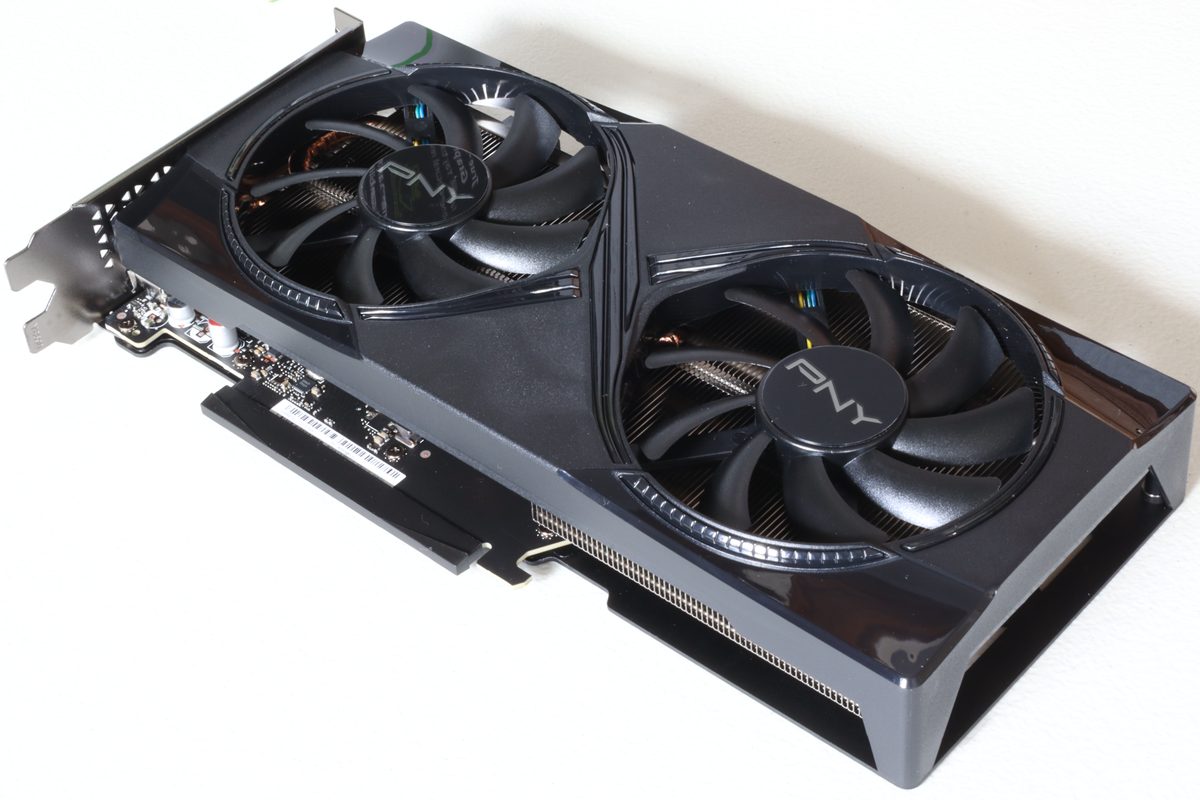
The RTX 5090 is the fastest consumer graphics card available, and that sentence does most of the work people want it to do. The harder question is whether being fastest is worth what it costs you, and for a large share of the people considering one the answer is no.
Not because it disappoints. Because the rest of their setup can’t ask enough of it.
What you’re actually buying
Three specifications matter more than the rest. It carries 32GB of GDDR7 memory, it has a 575W total board power, and it launched in January 2025 at a $1,999 MSRP, which street availability has not always respected.
The memory is the part that’s genuinely unusual. That capacity is far more than games use, and the gap is not close: gaming workloads rarely approach it even at 4K with maximum textures. That capacity isn’t really aimed at gaming. It’s aimed at local AI models, large scenes in 3D applications, and video work at high resolutions, where running out of VRAM doesn’t mean slower but means doesn’t run at all.
If you do that kind of work, the 5090 is straightforwardly the card to want, and the memory alone can justify it.
The power problem
This is the part people under-plan, and it has three separate consequences.
Your power supply needs genuine headroom, not a sticker that technically matches. Modern high-end GPUs draw brief spikes well above their rated figure, and a supply running near its limit will shut the system down under exactly the load you bought the card for. Budget for a quality unit with real margin.
Your case needs to move that heat. That board power becomes an equivalent amount of warm air inside a box that also contains a CPU, and partner cards for this class are physically large. Check length and slot clearance before ordering, not after.
And your room will notice. Sustained high-wattage gaming is a space heater running next to you. That’s not a criticism of the card, it’s a fact about physics that people discover in summer.
Who it’s wrong for
1440p gamers. At this resolution you will hit a CPU limit long before the card is working hard. The money buys frames the rest of the system can’t deliver. If the monitor is 1440p, a lower tier is faster in practice per pound spent.
Anyone with a 60Hz display. The card can only show you what the monitor can draw. Buying this and pairing it with a display that caps at 60Hz is the most expensive version of a common mistake, and the fix costs a fraction of the card.
People buying it to future-proof. Graphics cards depreciate quickly and the next generation always arrives. Buying the top tier early to avoid buying mid-tier twice usually costs more than buying mid-tier twice.
Who it’s right for
4K gaming at high refresh rates, where there genuinely isn’t a comfortable alternative at the top end. Ray-traced games at settings that punish everything else. Local AI work, where the VRAM capacity is the feature and the gaming performance is incidental. Professional 3D and video workflows where the card pays for itself in time.
Notice these have something in common: each is a case where the card’s specific advantages get used, rather than merely owned.
Before you buy
Decide the monitor first. Resolution and refresh rate determine how much graphics card is useful, and a 5090 behind a modest display is money converted into heat. Then confirm the power supply, the case clearance, and that your CPU can keep up at your resolution.
Our build budget guide covers the general version of this: the graphics card should be sized to the display, and the most common expensive mistake in a build is a GPU chosen for a monitor that can’t show what it produces. The 5090 is where that mistake gets costly.
☕ Coffee Corner
Compiling, deploying, or waiting on a render? Here's what to brew while you wait.



🏠 Smart Home Picks
Same hobbyist care applied to your network and your front door.

