The GPU Upgrade That Turned Into a New CPU and Motherboard: A Case Study
Updated 2026-08-31
A faster GPU can’t outrun a CPU that’s already the bottleneck. Frame rates plateau no matter how much graphics horsepower you add, because the processor simply can’t feed the card work fast enough. The fix isn’t a better GPU; it’s confirming which part is actually limiting performance before buying anything. This case study walks through a composite of a pattern we see often enough in reader questions to be worth one full write- up: a GPU-only upgrade plan that had to become a platform upgrade once the real bottleneck showed up.
The Starting Point
The setup: a six-year-old PC built around a first-generation Ryzen CPU, still running an aging quad-core chip that had been perfectly adequate for the games it was bought for. The only complaint was frame rates in newer titles: dips into the 40s at settings that should have looked smoother. The instinct, a completely reasonable one, was “the GPU is old, replace the GPU.”
That instinct is right often enough that it’s not a bad default. It just isn’t universal, and this was one of the cases where it wasn’t.
The Upgrade That Wasn’t Enough
A new mid-range GPU went in: a real step up on paper, more VRAM, a newer architecture, comfortably faster in every published benchmark than the card it replaced. Frame rates in the games that had been struggling barely moved. Some scenes improved a little. Others didn’t change at all.
This is the single most common sign of a CPU bottleneck: a GPU upgrade that under-delivers relative to its own specs, especially in CPU-heavy scenarios (strategy games, simulation-heavy titles, anything with a lot of NPCs or physics) more than in purely GPU-bound ones (high-resolution, graphically dense but computationally simple scenes). The GPU wasn’t the limit anymore. Something upstream of it was.
Diagnosing the Real Bottleneck
The useful check here doesn’t require guessing. A task manager or hardware monitoring overlay open during actual gameplay shows exactly where the ceiling is. Two patterns look very different:
- GPU-bound: GPU usage sits near 100% consistently. The graphics card is the limit; a faster one would help.
- CPU-bound: GPU usage sits well below 100%, with noticeable dips or spikes, while one or more CPU cores sit closer to their own ceiling. The graphics card is finishing its work and waiting on the processor to hand it more.
In this case it was the second pattern, and it wasn’t subtle once someone actually looked: GPU usage hovering in the 60-70% range in exactly the scenes that had disappointed, while the CPU was clearly the thing running out of headroom. The new GPU wasn’t underperforming. It was idling, waiting on a CPU that had been the actual limit the whole time.
The Corrected Plan
Once the real bottleneck was identified, the fix stopped being “buy a different GPU” and became “the platform underneath it needs to change”, which on an aging AM4-era board means the CPU and motherboard together, since a modern CPU generation doesn’t drop into a six-year-old socket. The GPU that had already been bought stayed exactly where it was; it had never been the problem.
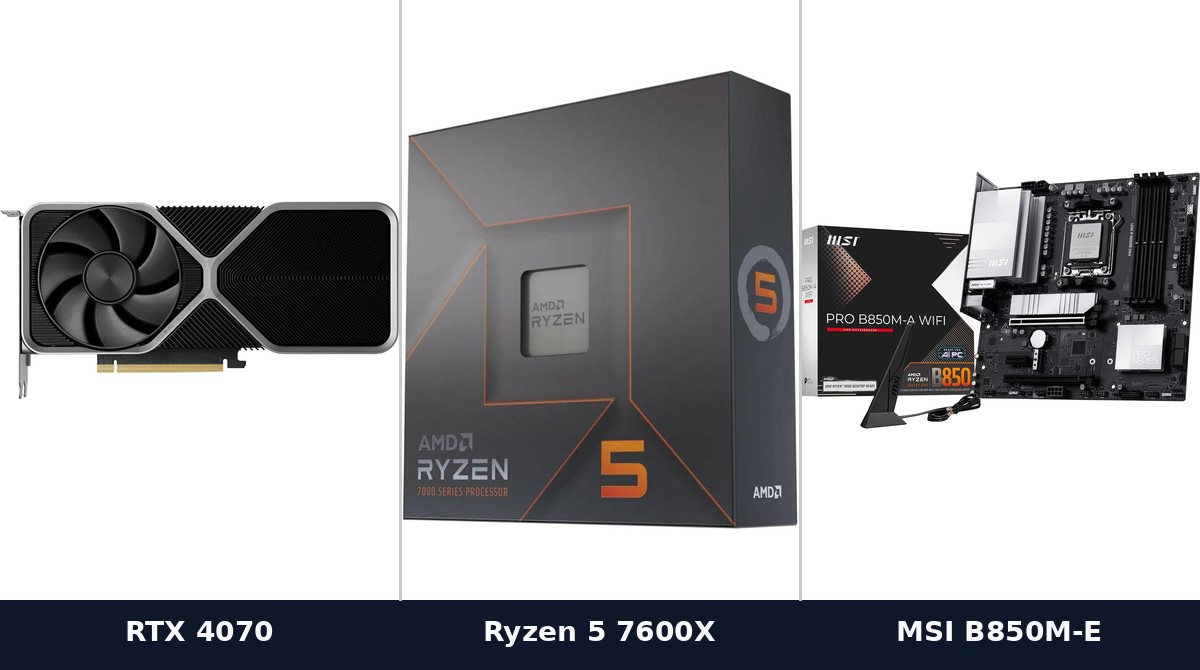
The platform that replaced it: an AMD Ryzen 5 7600X on an MSI PRO B850M-A WiFi, paired with the RTX 4070 already in the case. That combination brought GPU utilization in the same scenes up into the 90s where it belonged. The new graphics card was finally able to do the job it had been bought for, because the part actually holding it back was gone.
Lessons for Your Own Upgrade
- A GPU upgrade that under-delivers is a diagnosis, not a disappointment. It’s telling you where the real limit is, if you check.
- Watch GPU usage %, not just frame rate, while you play. Low GPU usage with high CPU usage in the same scene is the clearest signal a CPU upgrade, not another GPU, is the next step.
- The effect is scenario-dependent, not universal. The same PC can be CPU-bound in one game and GPU-bound in another. Check in the specific games that actually matter to you, not just one.
- A platform upgrade (CPU + motherboard, sometimes RAM too) is a bigger spend than a GPU alone, but it’s the one that actually fixes a CPU bottleneck. Buying a second GPU to solve a CPU problem is money that doesn’t move the number that’s actually stuck.
The GPU was never the mistake. Buying it before checking what was actually limiting the old one was.
🛒 Buy the Gear in This Guide
 NVIDIA RTX 4070View on Amazon →
 AMD Ryzen 5 7600XView on Amazon →
 MSI PRO B850M-A WiFiView on Amazon →
As an Amazon Associate we earn from qualifying purchases, at no extra cost to you. Prices and availability are shown on Amazon's own product page, not here, since they change constantly.
☕ Coffee Corner
Compiling, deploying, or waiting on a render? Here's what to brew while you wait.



🏠 Smart Home Picks
Same hobbyist care applied to your network and your front door.

